Over the last few weeks, I’ve been deep into building (even more)custom agents for my day-to-day job and the broader content team I’m in. One thing that kept bugging me was the manual wiring, where you have to point each agent to the right MCP servers, skills, and tools. It’s a lot of YAML editing and context window planning. Apart from the time, effort and testing that is still required when authoring your own custom VSCode Agents and skills.
Then yesterday, GitHub shipped agent finder for Copilot, and it flips that whole model on its head. Instead of pre-loading every possible capability “just in case”, Copilot now discovers what it needs when it needs it. (I’m pretty sure my past self would have appreciated this about 3 weeks ago…)
If you work with Copilot agents, custom skills, or MCP servers, this is worth a look. Let me walk you through what it does and why I think it’s a solid step forward.
What is agent finder?
Agent finder is GitHub’s implementation of the Agentic Resource Discovery (ARD) specification — an open standard developed in collaboration with Google, GoDaddy, Hugging Face, and Microsoft.
Here’s the core idea: instead of manually configuring which MCP servers, agents, skills, or tools an agent should use (and loading all of them into the context window upfront), Copilot can now search for what it needs when a task comes in.
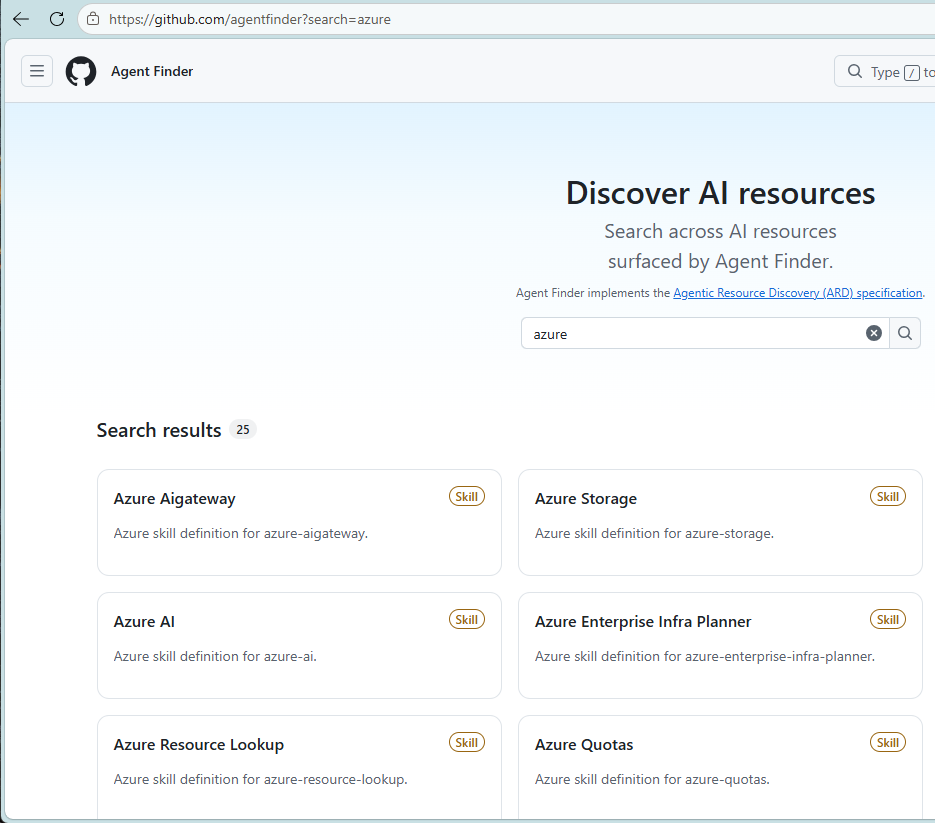
You describe a task. Agent finder searches an index of available AI resources. Copilot gets a ranked list of matches and pulls in only what the work actually calls for.
In practice, this means:
- Less context window bloat — no more “carry every tool just in case” configurations
- On-demand discovery — the agent loads capabilities when the task requires them, not at session start
- Ranked recommendations — the best options surface first, so you know what to install
The spec is open, so any registry or AI client can adopt the same discovery model. That’s a nice long-term play — no vendor lock-in on the resource catalog side.
Why this matters (especially for custom agent builders)
If you’ve been building custom agents using .agent.md files (and who doesn’t these days…), you know the drill:
- Define the agent’s role
- List the tools it should have access to (
tools: [read, search, web, ...]) - Cross your fingers that you didn’t miss something it’ll need later
- Hope the context window doesn’t fill up with unused capabilities
Agent finder removes steps 3 and 4.
Instead of pre-declaring everything, you can point the agent at a registry (GitHub’s public catalog, or your own private one). When the agent encounters a task that needs, say, a specific Azure CLI helper or a Terraform validator, it searches for that capability, ranks the options, and presents them.
You still control what gets installed — nothing happens automatically. But the discovery process is now dynamic instead of static.
For enterprise teams, this also means you can enforce which resources agents are allowed to discover via managed settings. Same governance layer, smarter discovery.
How to set it up in VS Code
There are two ways to connect agent finder to GitHub Copilot in VS Code. I’ll walk through both, starting with the simpler one.
Option 1: Install the agent finder skill
The agent finder capability comes as a Copilot skill — a SKILL.md file that Copilot loads and activates when you need it. Here’s how to install it:
Step 1: Get the skill file
The skill lives in the ARDS project connectors repo. You have three ways to install it:
Via folder copy (fastest if you already cloned the repo):
| |
Copilot scans ~/.copilot/skills/ (personal) and .github/skills/<name>/ (workspace). It also reads ~/.claude/skills/, so if you already installed this for Claude, Copilot picks it up automatically.
Via GitHub CLI (if you have gh skill installed):
| |
Via VS Code UI (recent builds only):
- Open Copilot Chat
- Click the gear icon (Configure Chat) → Skills tab
- Select New Skill (User) or New Skill (Workspace) (Arrow next to Generate Skill)
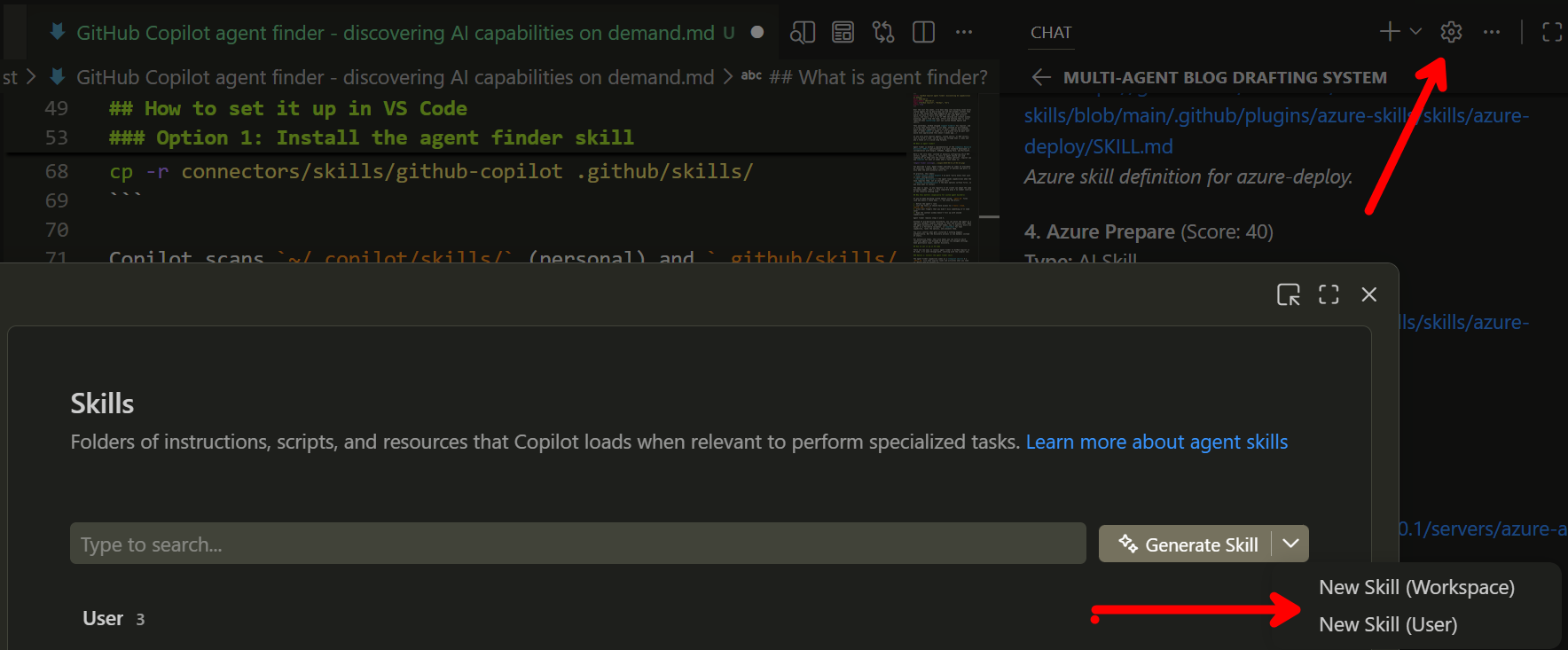
- When it prompts where to create the file, use your default UserProfile/.copilot/skill.md folder, and provide agentfinder as filename (I suggest this one, since the actual agent name in the SKILL file is agentfinder; but you could give it any name of choice.)
- Copy/Paste the SKILL.md content into the scaffolded file.
- Close the Agent Customization window

Step 2: Use the /agentfinder command
Once installed, open Copilot Chat in Agent mode and invoke it explicitly:
| |

Copilot fires a search to GitHub’s Agent Finder, queries it, and lists the ranked matches. You pick what to install — nothing happens automatically.
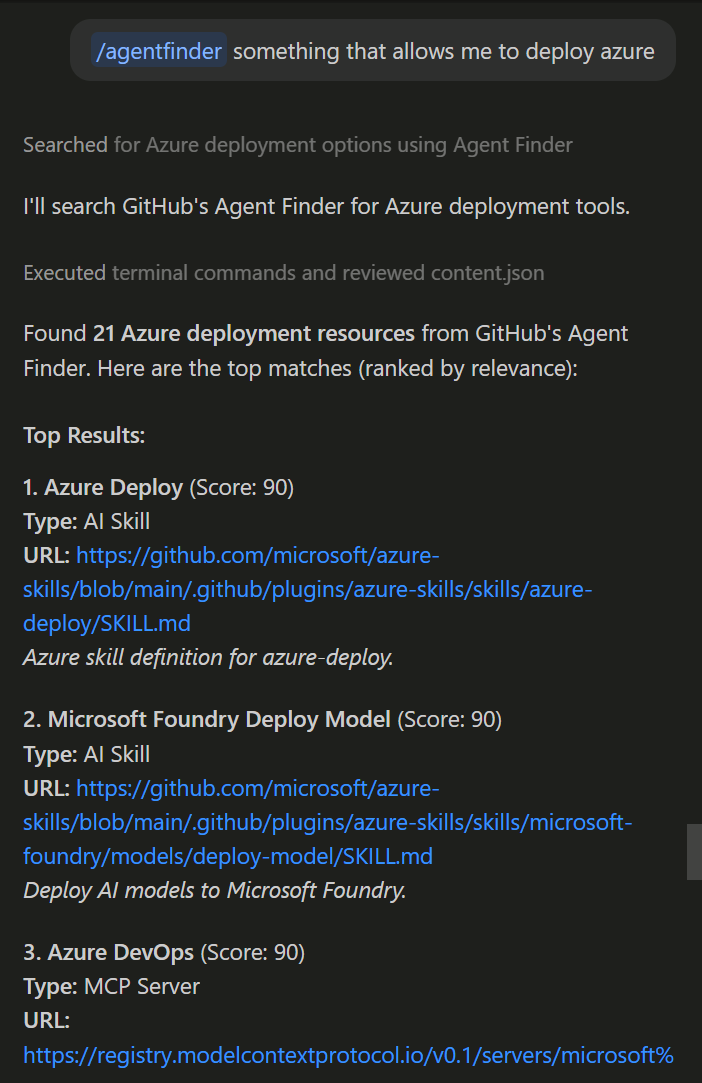
The skill defaults to GitHub’s Agent Finder catalog (https://agentfinder.github.com/api/v1), so there’s nothing extra to configure. If you want to point it at a different registry (like Hugging Face Discover or your own internal catalog), you can modify the skill’s endpoint setting.
Option 2: Add it as an MCP connector (advanced)
If you want agent finder integrated as an MCP server tool (instead of a slash command), add it to your workspace’s .vscode/mcp.json:
| |
This gives Copilot Chat (in Agent mode) an agent-finder search tool. Ask it to find a capability and it runs the search directly. You can combine this with Option 1 — the skill makes discovery easier, the MCP connector provides the underlying API integration.

Using agent finder in practice
Let me show you a real example. Say you’re working on a Bicep deployment and want to validate it against Azure best practices before committing.
Open Copilot Chat in Agent mode and type:
| |
Agent finder searches GitHub’s catalog, ranks the matches by relevance, and returns something like:
- Azure DevOps (Score: 60) - Type: MCP Server - URL:URL
- Azure Validate (Score: 40) — Type: AI Skill - URL:URL
- Azure Prepare (Score: 40) - Type: AI Skill - URL:URL
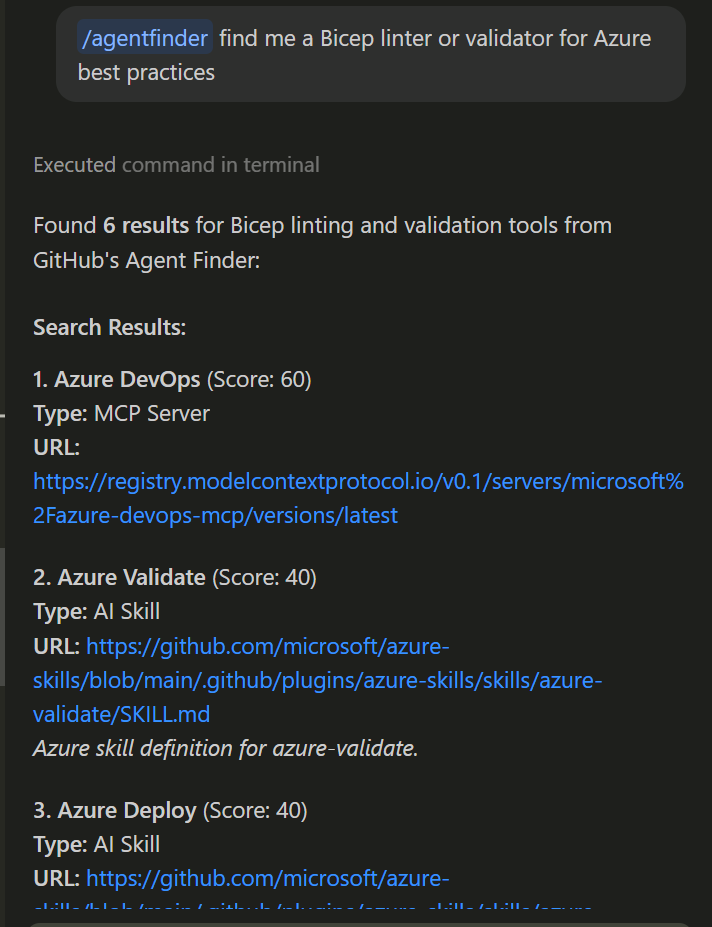
You review the list, pick the corresponding number, and - depending on the agent or skill selected - Copilot shared different options to install it.
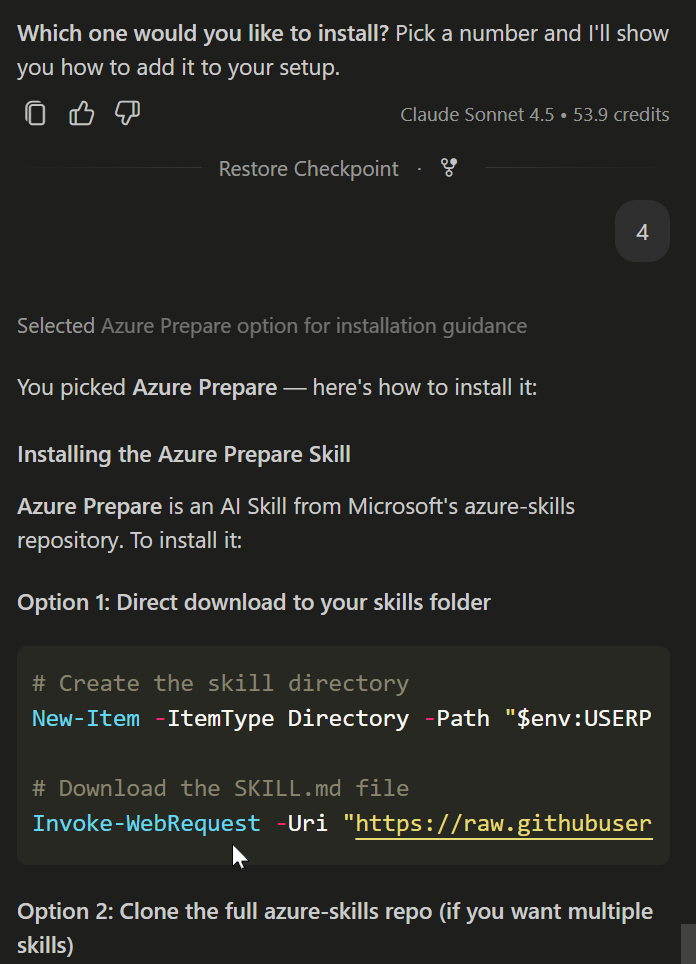
Now when you ask Copilot to “validate this Bicep template”, it can call the MCP server or use the AI Skill, you just wired in.
Next task? Different query. Different tools. The discovery happens on-demand instead of pre-loading everything.
Tying this back to custom agents and MCP servers
If you’ve been following my recent posts on keeping MCP config in sync between VS Code and Copilot CLI, you know I’m a fan of the Model Context Protocol. MCP lets you wire external capabilities (like Azure CLI helpers, GitHub operations, browser automation) into AI assistants.
The manual part was always the wiring. You’d edit mcp.json, restart the session, hope you got the server name right, and debug when it didn’t load.
Agent finder changes that. If you publish your custom MCP server to a registry (GitHub’s public one, or your own private catalog), Copilot can discover it when someone describes a task that matches its capabilities.
Example: I built a custom MCP server for Azure DevOps work item operations. Instead of manually adding it to every agent’s tools: list, I can publish it to my team’s private registry. When someone asks Copilot to “create an ADO bug from this error log”, agent finder surfaces my server as a match.
That’s a huge workflow improvement, especially for teams with lots of internal tooling.
What about the ARD specification?
GitHub mentions that agent finder implements the Agentic Resource Discovery (ARD) specification, which was developed in collaboration with Google, GoDaddy, Hugging Face, and Microsoft.
The spec is open, which means:
- Any AI client (VS Code, Copilot CLI, JetBrains, etc.) can adopt the same discovery model
- Any registry (GitHub’s catalog, a private enterprise index, community-run repositories) can implement the ARD API
- Resources (MCP servers, agents, skills, tools) follow a consistent metadata schema for discoverability
That’s important. It means this isn’t just a GitHub feature — it’s a pattern that can work across the ecosystem. If you invest time publishing your internal tools to an ARD-compliant registry, they’re discoverable by any ARD-aware client.
More details on the spec are over at Microsoft’s ARD announcement.
What about other registries?
The examples above use GitHub’s Agent Finder at https://agentfinder.github.com/api/v1. You can point at other ARD-compliant registries by changing the endpoint:
- Hugging Face Discover:
https://huggingface-hf-discover.hf.space/search - Your own private registry: Deploy an ARD-compliant server and point the skill or MCP connector at it
For enterprise teams, managed settings let you control which registries your organization permits and which resources are discoverable. Same governance layer you use for other Copilot policies.
Summary
GitHub Copilot’s agent finder is a smart shift from static tool configuration to dynamic capability discovery. Instead of pre-loading every possible resource into an agent’s context window, Copilot can now search for what it needs when a task comes in, pull in only the relevant matches, and keep the context lean.
For anyone building custom agents, this removes a lot of manual wiring and guesswork. For enterprise teams, it adds a governance-friendly discovery layer that respects your policies while surfacing the best internal and external tools.
Agent finder implements the open ARD specification, so this discovery model can work across any AI client and any registry — not just GitHub’s ecosystem.
If you work with Copilot agents, MCP servers, or custom skills, give it a spin. It’s live today on all plans.
More on the ARD spec and agent finder:

Cheers!!
/Peter